Notolog Documentation



Welcome to the official documentation for Notolog - an open-source Markdown editor built with Python and PySide6.
Quick Links
- Getting Started - Installation and first steps
- User Guide - Complete feature overview
- Markdown Syntax - Markdown syntax reference and examples
- AI Assistant - Using AI features (OpenAI, ONNX, llama.cpp)
- Text-to-Speech - Read documents and selections aloud locally
- Configuration - Settings and customization
- API Reference - For developers and contributors
- FAQ & Troubleshooting - Common questions and solutions
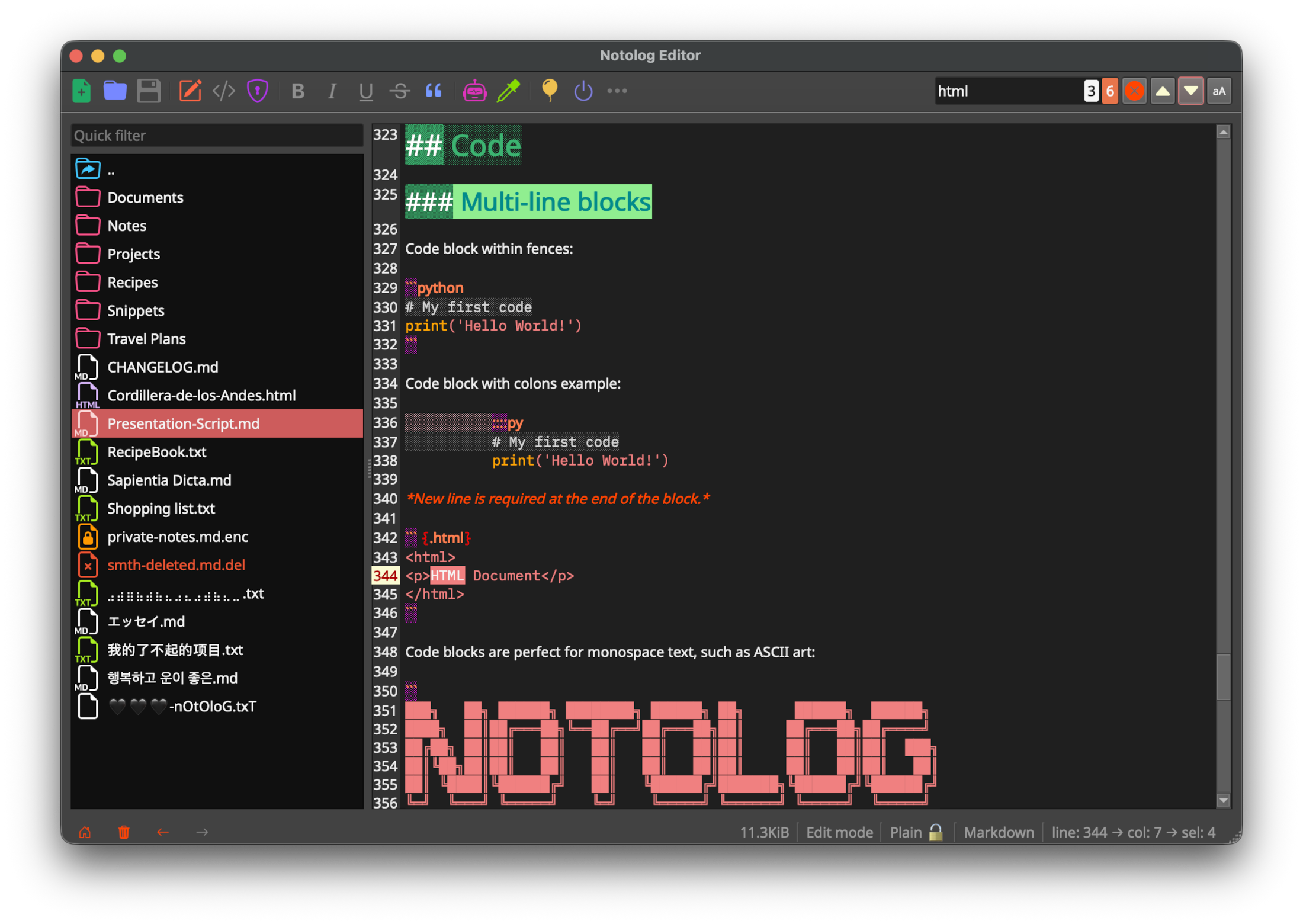
What is Notolog?
Notolog is a privacy-focused Markdown editor that combines:
- Clean Markdown editing with syntax highlighting
- AI-powered assistance via OpenAI API or local LLMs (ONNX, GGUF)
- Local Text-to-Speech for documents, selections, and reading from the cursor
- File encryption using AES-128 with Fernet
- Multi-language support (19 languages)
- Customizable themes (6 built-in themes)
System Requirements
| Requirement | Minimum | Recommended |
|---|---|---|
| Python | 3.10 | 3.14 |
| OS | Windows 10, macOS 10.14, Ubuntu 20.04 | Latest stable versions |
| RAM | 4 GB (base editor) | 8 GB (16+ GB for local 7B+ parameter LLMs) |
| Storage | 100 MB (base) | 500 MB-4 GB (depends on local model files) |
Local LLM Memory Requirements
- Phi-3-mini (3.8B): ~4 GB VRAM or 8 GB RAM
- 7B parameter models: ~6 GB VRAM or 16 GB RAM
- 13B parameter models: ~10 GB VRAM or 24 GB RAM
Installation Overview
# Using pip (recommended)
pip install notolog

# Using conda
conda install notolog -c conda-forge

# With llama.cpp support
pip install "notolog[llama]"
See Getting Started for detailed installation instructions.
Support
- GitHub Issues: Report bugs or request features
- GitHub Discussions: Ask questions and discuss
- Repository: github.com/notolog/notolog-editor
- Website: notolog.app
License
Notolog is released under the MIT License.
Documentation version: 1.2.2